Mozilla Community Portal

Project Team
- Mozilla Project Manager
- Mozilla Ecosystem Designer
- Mozilla Product Manager
- 2 x Mozilla Community Managers
- Product Designer
- 2 x Software Developers
My Role
Product Designer
Platform
Wordpress
Overview
At Versett, I worked on the Mozilla Community Portal—a collaborative web experience designed to connect Mozillians with key community initiatives. Our goal was to consolidate various communication channels into a single platform that showcases events, groups, and impactful campaigns. By leveraging Figma’s sharing capabilities, we invited hundreds of community members to provide real-time feedback from initial sketches through to the final high-fidelity design.
View the portal's discourse board

Problem Space
Mozillians needed a centralized space where they could:
- Discover events and groups
- Learn about community members and initiatives
- Access and engage with impactful Mozilla campaigns and activities
Prior to this project, Mozillians were juggling multiple platforms (e.g., Activate, Splash, Discourse, Reps Portal) to meet their needs. A unified portal was essential for effective community management and consistent communication by Mozilla’s Community Managers.
Getting Started
To manage communication and collaboration between our product team and the Mozilla community, we utilized several tools:
- Slack for team communication
- Mural for collaborative design exercises
- Google Suite and Figma for sharing functional and design artifacts
Strategy & Research
Our approach began with a comprehensive exploration that included:
- Researching existing platforms and breaking down client briefings
- Developing detailed user personas
- Outlining current user journeys and envisioning ideal states
- Generating persona-based user stories, which were then sorted and grouped into epics for translation into the final product
UX Research
After our preliminary research, we embarked on a focused 5-day “Exploratory” sprint consisting of three key group exercises:
- Persona Development
- User Journey Mapping
- User Stories Development
The initial sprint ran for 5 days. These design exercises were critical in transferring knowledge between team members. Community Managers were extremely helpful in defining and transferring knowledge about the target audience. As a group, we were slowly uncovering and developing a shared knowledge of the problem space.
1. Persona Development
PERSONA 1: KATYA [NEW VOLUNTEER]
I'm always looking for new opportunities to gain new skills and meet new people

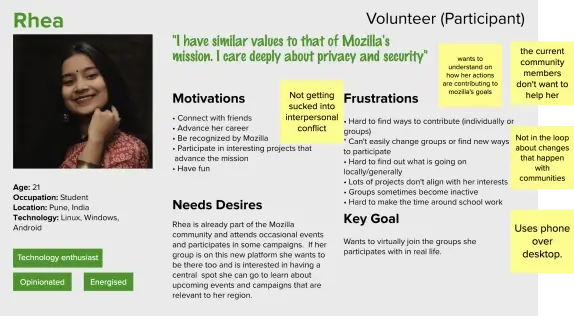
PERSONA 2: RHEA [PARTICIPANT]
I have similar values to that of Mozilla's mission. I care deeply about privacy and security
PERSONA 3: AJAY [ORGANIZER/CREATOR]
I've always wanted to start something, a group or meetup. I love organizing and managing

PERSONA 4: KRISTY [MOZILLA STAFF/COMMUNITY MANAGER]
I need to target and mobilize the right contributors towards impactful campaigns

2. User Journey Mapping
We analyzed how Mozillians used various tools—Discourse for communication, Activate for hosting activities, Splash for event discovery, etc.—to accomplish their goals. By visualizing each persona's relationship with Mozilla across multiple touchpoints, we created timelines that captured key user actions, thoughts, and emotions. This narrative approach helped us define an optimal journey for each persona.

Communicating Key Goals
We then compiled a series of user actions for each persona into timelines. In order to create a narrative, we incorporated ‘thoughts’ and ‘emotions’ into each persona’s timeline. Each narrative was then revised and condensed, to form a more accurate representation of each persona’s optimal journey.

3. User Story Generation
The rich insights gathered were translated into a comprehensive set of user stories. Every team member, from community managers to developers, contributed ideas. We then worked in two steps:
.
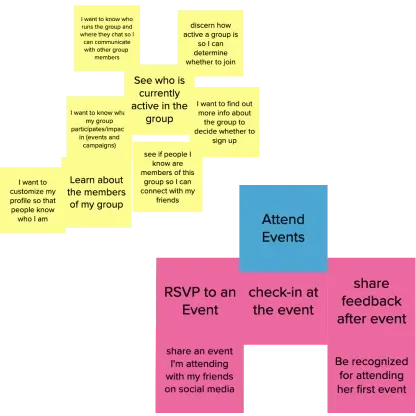
Writing as much as possible
We encouraged everyone on the team to write as many user stories as they could; the goal was to be plentiful not critical.
Sorting and expanding
We then went through the user stories, removing redundancies, cleaning errors, and looking for patterns. Related user stories were then grouped into higher-level patterns (Epics).

From UX Research to UI Design
Each epic (e.g., “Create Event” or “Create Group”) was translated into a series of wireframes. These wireframes evolved through multiple stages:
- Low-Fidelity sketches to quickly iterate on concepts
- Mid-Fidelity wireframes to refine layout and functionality
- High-Fidelity screens that integrated community feedback into a polished design
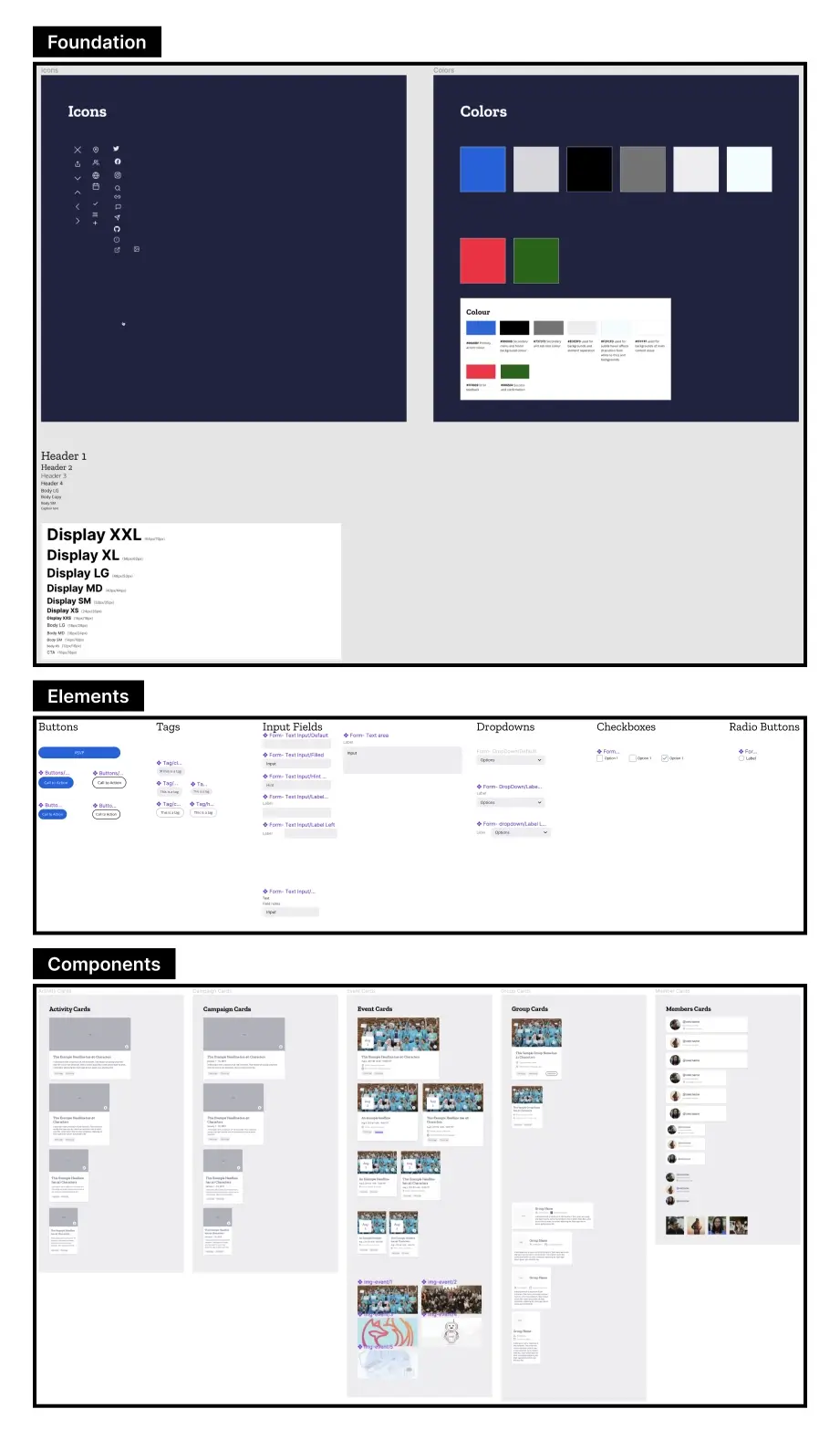
A comprehensive design system was established to ensure consistency throughout the platform.
Wireframes


Design System
Results
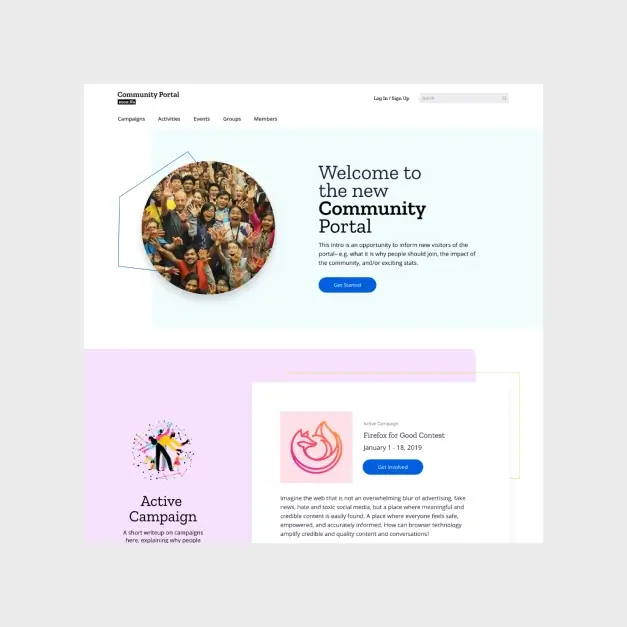
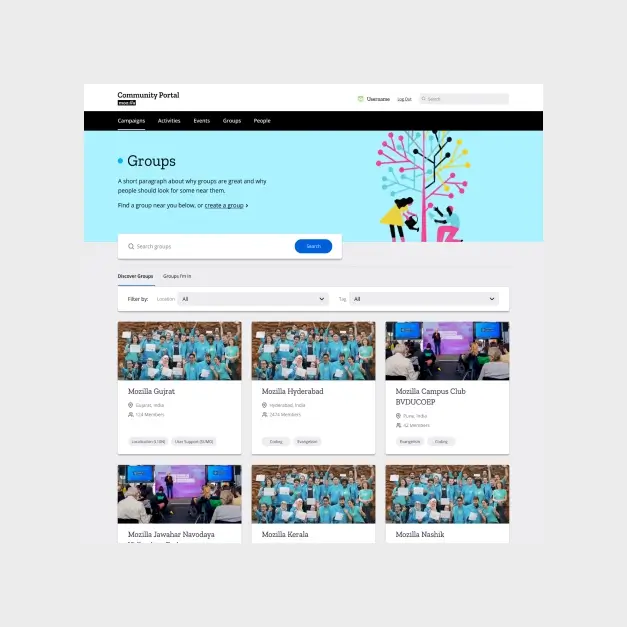


Final Result
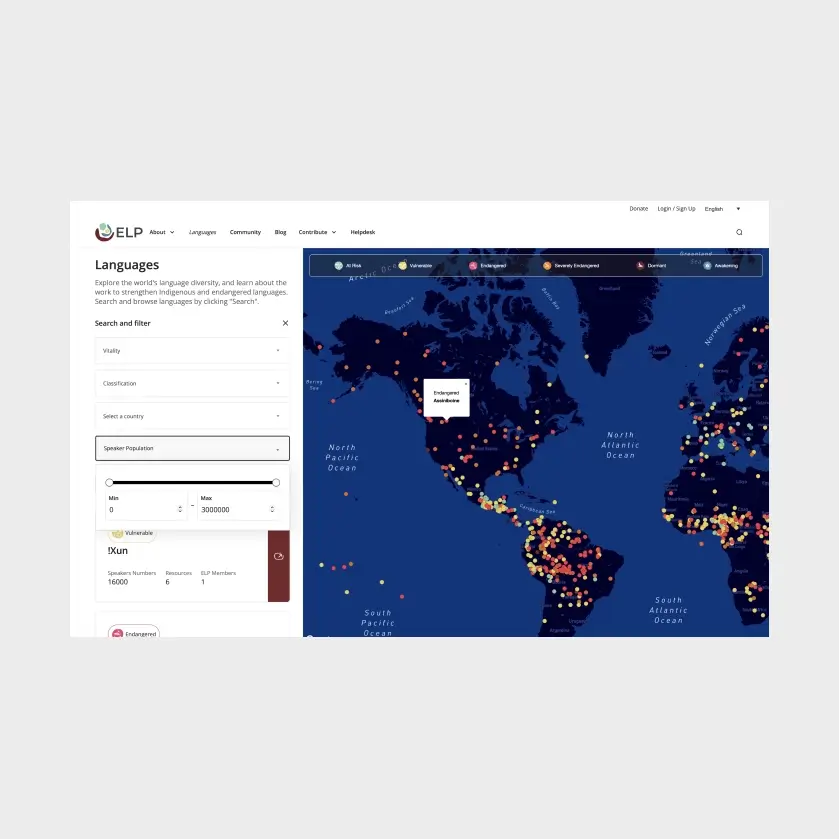
The Mozilla Community Portal now serves as a central hub for Mozillians to discover events, join groups, and engage with Mozilla’s initiatives—all while supporting community management efforts.